Guide › Going to a workshop › Finding a festival
Step 2
Finding a festival
Yuimaru is full of acroyoga/acrobatics festivals from all over the world. This page shows you how to find one, look through its programme, and read the timetable — all without signing in. Take your time and click around; nothing here can break.
Two words to know: series and edition
You'll see these two words a lot, so let's make them simple.
- A series is a festival's name — the brand that comes back again and again. For example, "Amsterdam Acro Festival".
- An edition is one run of that festival — a particular year or season. So "Amsterdam Acro Festival 2026" is one edition of the series.
Think of a series as a TV show and an edition as one season of it. You first pick the show, then pick the season you want to go to.
The Discover page: find your festival
When you open Yuimaru you land on the Discover page. At the top it says "Find your festival", with a friendly line underneath: "Browse the acroyoga/acrobatics series happening around the world. Pick one to see its editions and full programme."
Below that is a grid of cards — one card per festival. Each card shows a photo, the festival's name, a short tagline, its location, and a small note like "3 editions" telling you how many runs it has had or has coming up.
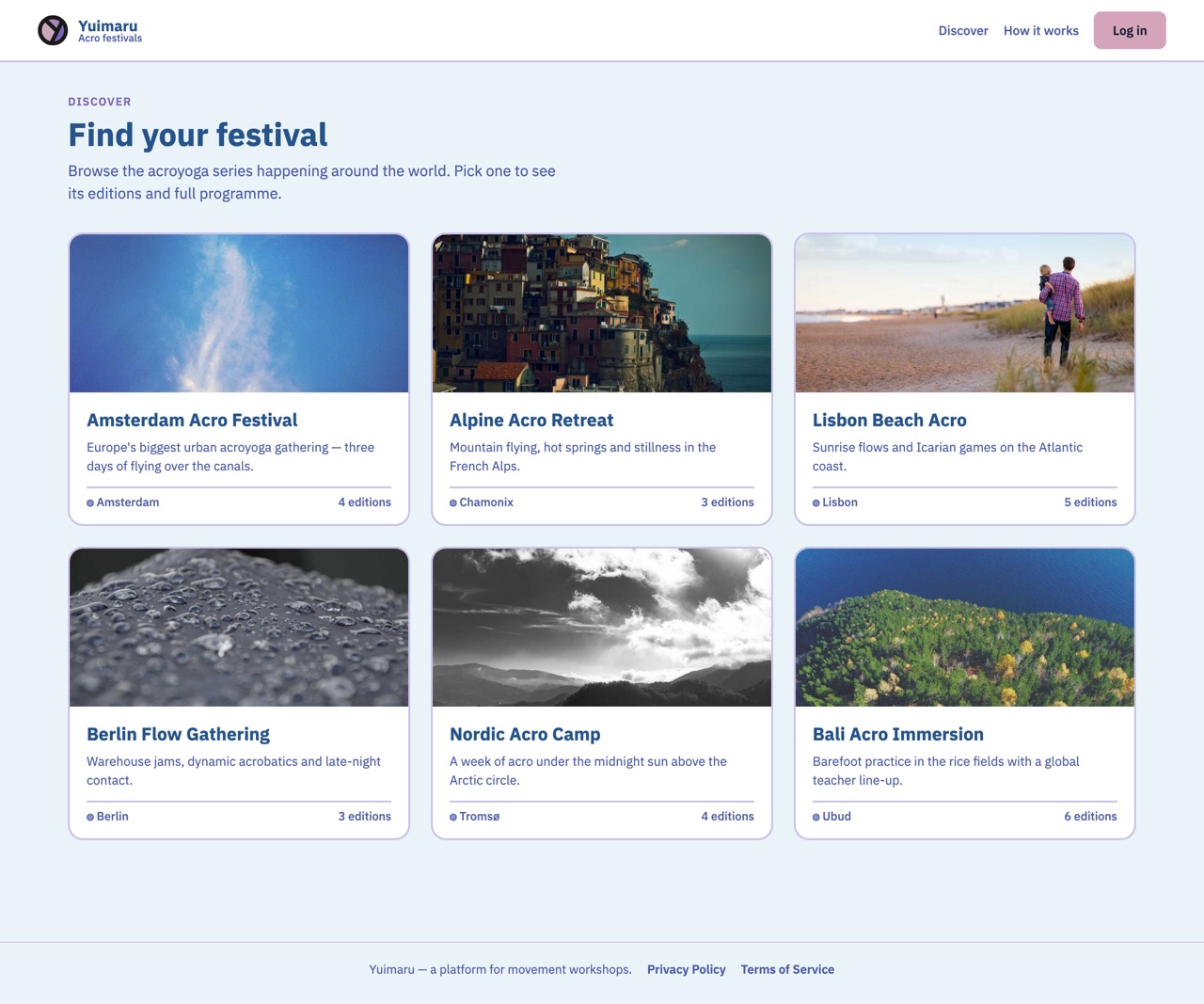
To open a festival, just tap its card. That takes you to its editions and full programme. While the page is still loading you'll see "Finding festivals…". And if there's nothing to show yet, it says "No festivals here yet — check back soon." — that's normal, just come back another day.
Choose an edition
Once you tap a festival, you'll see a section headed "Choose an edition". Remember, an edition is one run of the festival. Each edition has its own card showing a small coloured dot, a short status label, the dates, the location, and a line like "12 workshops · View programme →".
The coloured dot and label tell you at a glance where that edition stands. There are four:
- Registration open — you can sign up right now.
- Sold out — every place is taken.
- Opens soon — sign-ups haven't started yet, but they will.
- Past edition — this run has already happened.
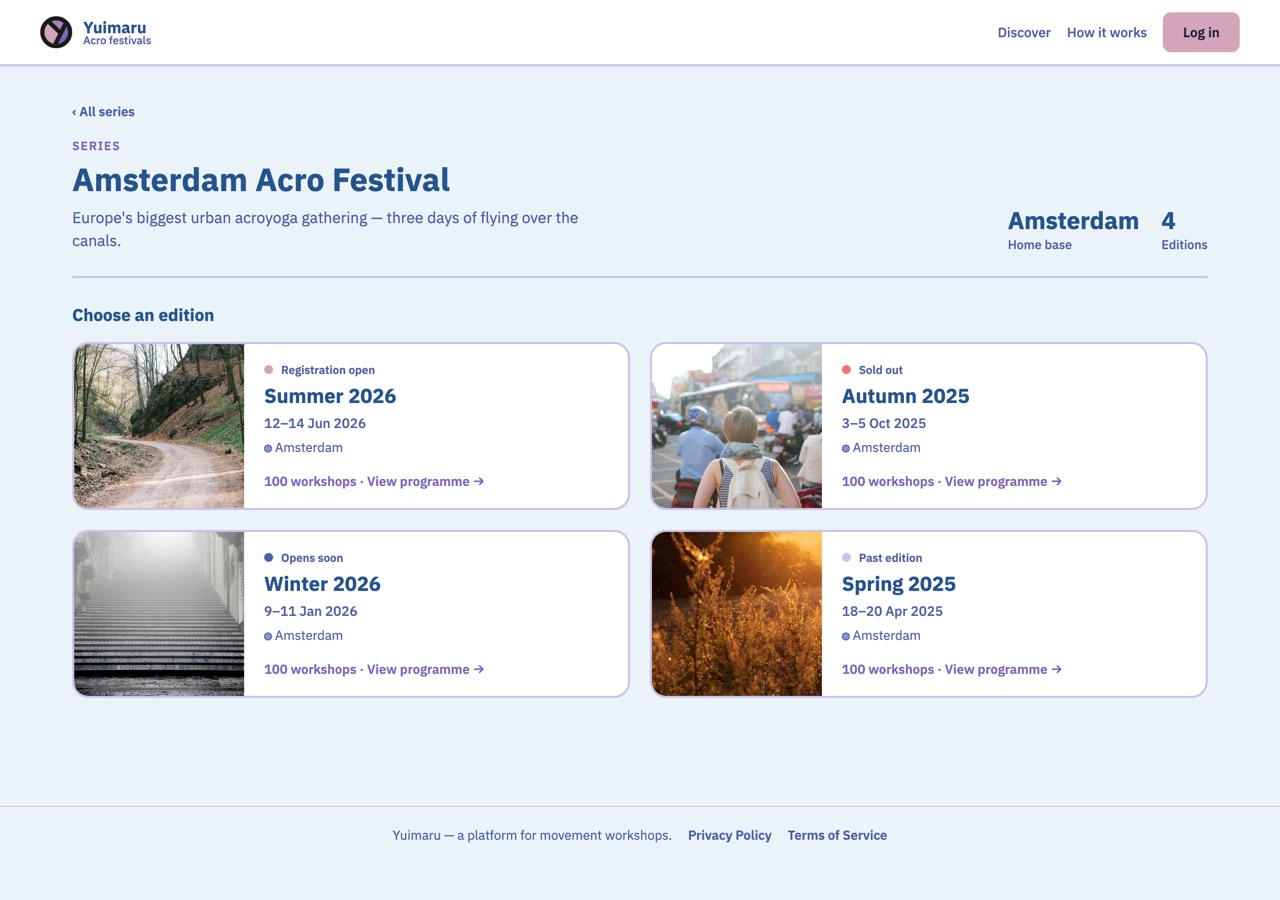
Tap any edition card (or its "View programme →" link) to open that edition's own page.
The edition page
This is the main screen for a single festival run. At the top is a big picture header — we call it the hero. It shows the status, the series name, the edition name, the dates, the location, and how many workshops there are.
What you see next depends on whether you're signed in:
- Signed out — you'll see a box that says "Log in to make it yours", listing three good reasons to sign in, and a Log in to continue button. You can still scroll down and read everything without signing in.
- Signed in — you'll see "Welcome back, {name}" with three little counters (Interested, Committed, Ticket) and a My schedule button that takes you to your saved plan.
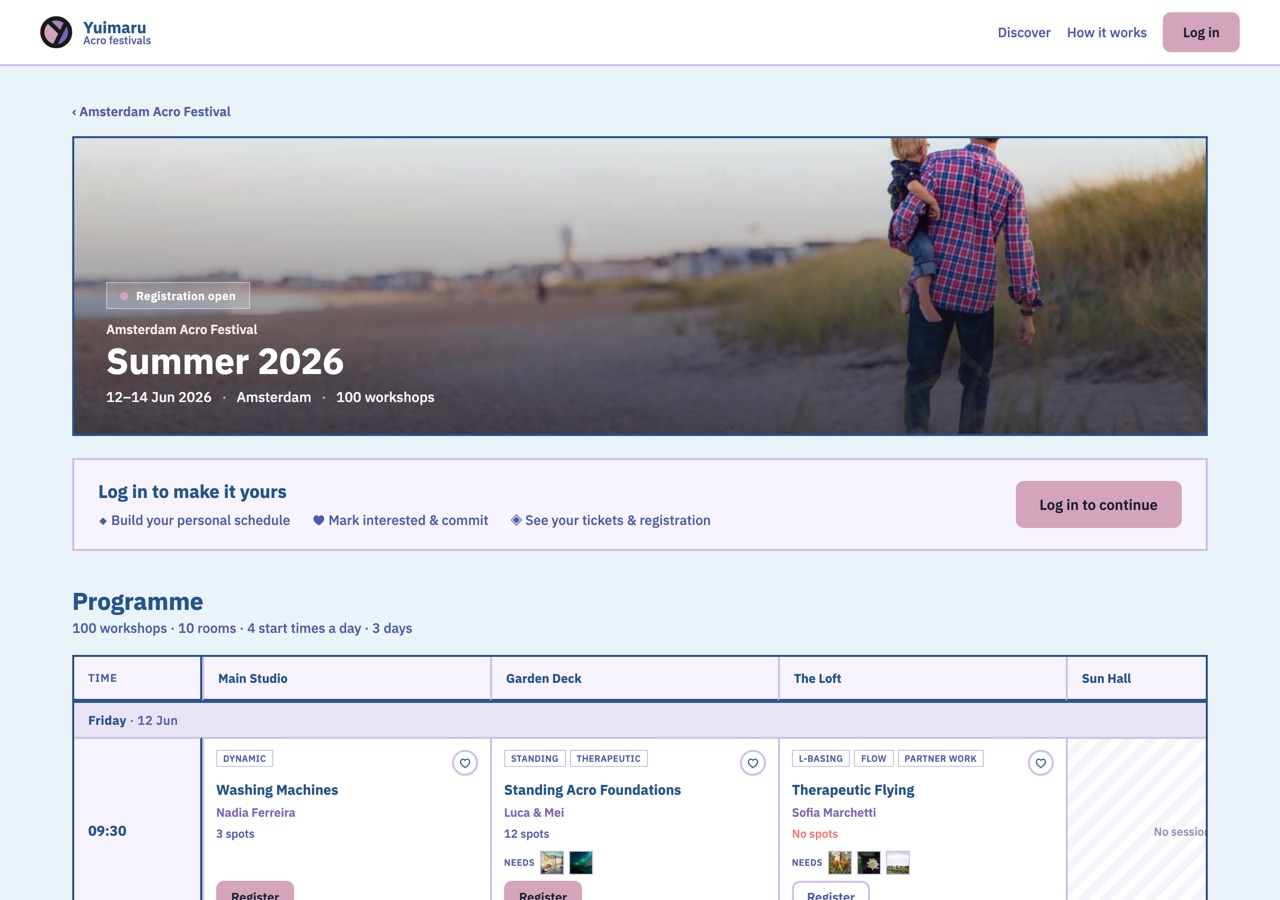
The whole programme is readable while signed out. Signing in only adds the personal touches — saving workshops, seeing your counters, and building your schedule.
Reading the programme (the timetable)
Scroll down the edition page to reach the programme — the timetable of every workshop. It's laid out as a grid you can scroll: the time of day runs down the left-hand side (with hour markers), and the room names run across the top. Everything is organised by day, then by start time, then by room, so you can follow one day at a time. If two workshops overlap in the same room, they sit side by side so you can see both.
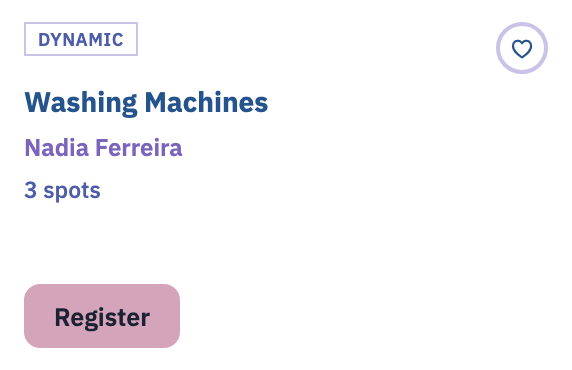
Each little box in the grid is one workshop. Inside a box you'll find:
- Its start and end time.
- The workshop title.
- The teacher's name — tap it to open their teacher page.
- How many places are left — "8 spots", or "No spots" in red when it's full.
- A heart to save it (more on that in the next chapter).
Tap a workshop box to open its details — a card with the teacher's photo and a link to their page, the level, any prerequisites, a short description, how many spots are left, and the save heart.
To actually sign up, use the Register button near the top of the edition page. If the festival registers per workshop instead, that same details card carries its own Register button.
Above or below the grid you'll see a short summary line, something like "24 workshops · 4 rooms · 6 start times a day · 2 days", so you know the size of things at a glance.
If the organisers are still building the schedule, you'll see "The programme for this edition isn't published yet." instead of the grid. Nothing is wrong — check back closer to the event.
Teacher pages
Curious about who's teaching? Anywhere you see a teacher's name, tap it to open their own page. It shows their photo, the word "Teacher", their name, their pronouns, their social handles, a short bio about them, and a "Workshops" list of the sessions they're leading at the festival. Tap any workshop in that list to jump back to it.
Common questions
What's the difference between a series and an edition?
A series is the festival's name — the brand that runs again and again, like "Amsterdam Acro Festival". An edition is one run of it, such as a particular year. You pick the series first, then choose the edition you want to attend.
What do "Opens soon" and "Sold out" mean?
Opens soon means sign-ups for that edition haven't started yet, but they will — worth checking back. Sold out means every place has already been taken. You'll also see Registration open (you can sign up now) and Past edition (it has already happened).
How do I read the timetable?
Read it like a weekly planner. The times run down the left, the rooms run across the top, and each box where a time and room meet is one workshop. Everything is grouped by day. Each box tells you the title, the teacher, and how many spots are left.
Do I need to sign in just to look?
No. Browsing festivals, opening editions, and reading the full programme all work without an account. You'll only be asked to sign in when you want to save a workshop, register, or pay.